Sunday, April 8, 2012

Civil 3D 2013 New Features Part 4

Good morning everyone. I hope everyone  had a great Easter weekend. So for the past 2 weeks the internet and tweeter world has been blowing up with the all the new features that C3D 2013 has to offer. The introduction to pressure pipes and import/export capabilities for IMX fix was huge leap, there was some draw backs. As most of you know the import Google earth feature has been remove. I’m sure this is kick to the stomach for some of you. Overall I rate this version a B+.
4-4-2012 11-05-35 PM


Anyways in this post, I will skim over the new pressure parts features. For those of you that have already download your version of C3D 2013 from the subscription website, you will instantly notice all the features relating to pressure parts/networks throughout the ribbon. I have posted some images of some area where you can find links/features related to pressure pipes.
image
image
As you can see pressure pipes can be honestly be considered the star of the show for C3D 2013. So what is pressure pipes?
Pressure Pipe Typical Workflow.
  1. Select the Pressure Network Catalog
  2. Create a part list such as Water Parts
  3. Create pressure pipe network from Pressure Network Creation Tools on the ribbon
  4. assign the reference surface
  5. Select the pipe size and material
  6. lay out of your pressure network
image
As you can see, you have the ability to display true pipe bends, fittings and apparatus on the fly when laying out your pressure network. On top of that, a new feature has now been included to check pipe coverage for your network. In addition, you can also create vertical curve pipe in your profiles.

On the negative side, Autodesk did fail to add PVC as a material on the pressure parts material. This causes you, as the user to custom build the PVC material from scratch. In order to this you have to use content catalog editor. To build the PVC material you will need all the manufactures specification data.
2012-04-23_2026

Thursday, April 5, 2012

Civil 3D 2013 New Features Part 3.

Good morning everyone. Well congrats on Kentucky wining the men’s NCAA national basketball championships and Texas Baylor Bears winning the women’s NCAA national championship. I also want to send my prayers go out to all those that lost their homes in the DFW area during Tuesday’s tornados storm. 
4-4-2012 11-05-35 PM
Anyways, I hope everyone is exciting about all the new features that C3D 2013 has to offer. Some new feature may benefit some firms greatly, while it may not be useful to other firms. It honestly depends on what type of projects your company/firm works on. So moving on, in this post I would like to talk about the transportation improvements that Autodesk has included in C3D 2013. I have listed below  few more new features of C3D 2013. I have also included a short video presentation.
  1. The addition of Subassembly Composer
  2. The addition of railway design tools
  3. The addition of cant railway design with new rail alignment
  4. New layout tools
  5. Importing/Exporting IMX files from/into Infrastructure Modeler
  6. Pressure Part Network.
Some of you may be asking what is cant rail design? Well basically cant rail design is used to steer a train moving along a curve, keeping the wheel flanges from touching the rails. This minimizes friction and wear. In addition, cant rail design helps in the distribution of weight across both rails, and creates a smoother ride by neutralizing the effects of lateral forces. The two acting factors of cant design is the speed and radius of the rail track. Cant design is basically in essence referred to as superelevation of a rail from one side of the rail to the other side. If you go to your settings tab on your toolspace, and right click on your ALIGNMENTS and select Edit Feature Settings, here you will find settings for your rail options and cant design. From here you get set the rail wide, degree of curvature, design speed,pivot method…and so on.
4-4-2012 11-58-23 PM
4-2-2012 11-35-36 PM
4-2-2012 11-39-47 PM
In a few weeks I go more in depth over rail design. I have presented below the new and improved layout Tools tab.
Civil 3D 2012 Layout Tools Panel
4-4-2012 10-20-39 PM
Civil 3D 2013 Layout Tools Panel
4-4-2012 10-20-58 PM
As you can see from above, the layouts panel has a new look with a few needs features. See video below.
C3D 2013
As you can tell some really cool features have be incorporated into C3D 2013. If you are in subscription you can now sign in and download you new slick C3D 2013. I apologize for only skimming over the new features so fast but I will do a few more new features post to get a better understand of the new features. . Feel free to comment.

Friday, March 30, 2012

Civil 3D 2013 New Features Part 2

Good morning to everyone in the AutoCAD universe! Wow this has been an overwhelming exciting week for Autodesk. There has been several webcast this week with the introduction of all the new 2013 Autodesk products. The tweeter world, blogger websites, Facebook, Google+ ,and LinkedIn has been blowing up. So, not only were new features added the 2013 software, the design suite packages received a upgrade . For example, the Autodesk Infrastructure Design Suite 2013 added a few new goodies to the packages. (See image below) The highlighted items are additional software that has been included. I totally love that the Infrastructure Modeler (AIM) 2013 has been added to the Premium package. On top of that, the addition of Revit 2013 and Utility Design 2013 to the Ultimate package makes it a very enticing package to get.

2012-03-28_1508_002[3] 

Anyways, I hope everyone enjoyed the screencast shots that I posted Wednesday from the Blogger Day event. As we all know by now, the three main new features that was added to C3D 2013 was the creation of pressure part network, new survey contextual tab with survey features, and transportation with the incorporation of subassembly composer and Railway Design. Of course there are other hidden gyms that was added but that’s to come later in part 3 and 4. Did everyone notice the new logo? Yes the desktop shortcut icon and application menu icon have changed. (See images below).

2012-03-29_2252 

I have placed the C3D 2013 shortcut icons on top and the C3D 2012 icons at the bottom. So what do you think about the new logo?


2012-03-29_2250  2012-03-29_2249_001 (Application icon for 2012 and 2013


Anyways, today I will skim over the new survey features that was added to C3D 2013. The first thing you will notice and slap you in the face when you open C3D is the new look for the command line. It no longer stretches across the bottom of the screen but has a smaller more slick look. The autocomplete is still present and active. I also want to add the volume dashboard feature can be found in the Analyze contextual tab.

2012-03-30_0005

2012-03-30_0038

2012-03-29_2205

So here is a list of new survey features that you will see on the survey contextual tab/ Survey Modify panel. There are other features that you will also recognize from C3D 2012.

    • Survey Toolspace: Used to open and close the survey tool palette on the C3D toolspace. This tool palette acts as your primary interface when working with survey data
    • Network Properties: Used to change and edit your network name, description and style. Also contains the Edit Network Styles feature.
    • Figure Properties: Used to display survey figures. Also contains the Edit Figure Style to create and edit styles.
    • Survey Query: Used to display the survey query tab. When clicked, the ribbon changes to display the survey query features. (See image below)

2012-03-29_2334

    • Survey Figure Properties : Used to make edits to survey figures
    • Survey Points Properties: Used to make edits to survey points
    • Browse to Survey Data: Used to browse to network, figure and observation.
    • Edit Geometry, Edit Elevation (Used to edit featurelines data and geometry) and ,Update Figure, Update survey data from drawing, and Update Figure from survey data.
    • Mapcheck, Geodetic Calculator, Coordinate Geometry Editor: Also seen in the Analyze contextual tab.
    • Quick Profile, Create Surface and Grading Creation tool: Also seen from the 2012 version.

I think Autodesk is starting to move in the right direction now in improving their survey features and functionality. If Autodesk continues to make improvement on the survey side I can see a larger demand for C3D in the near feature. There is much more in survey improvements but I will get more in depth in part 4. Monday I will do my best to release part 3. Part 3 I will skim over the transportation improvements. I really think some of you will love this topic. Anyways thanks for stopping by and feel free to post comments. Have a great weekend. Smile

Wednesday, March 28, 2012

Hello Civil 3D 2013!!!!!!!

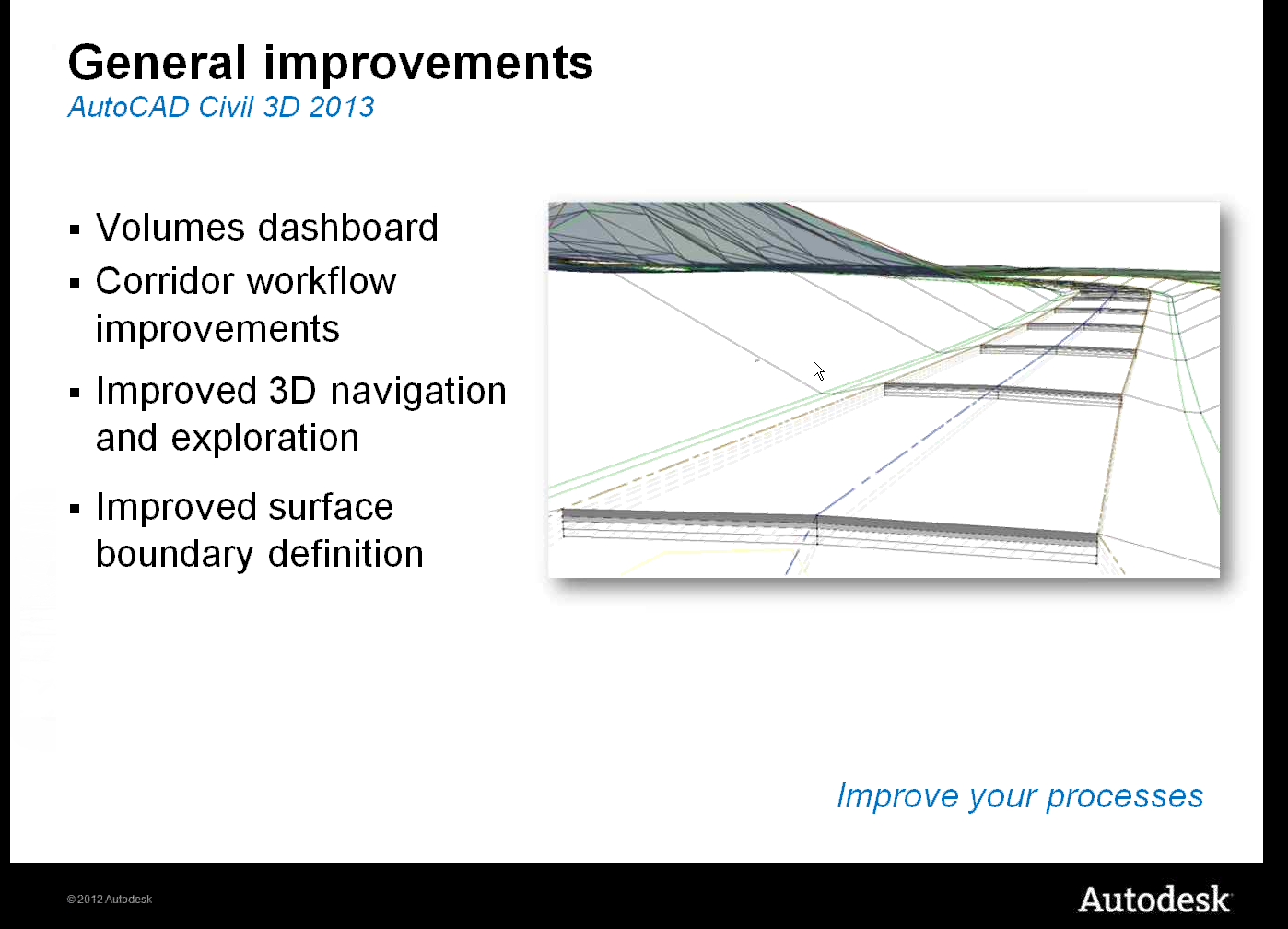
Good afternoon everyone. Today is an exciting day for Autodesk because they officially introduce C3D 2013. Actually this week has been crazy with the announcements of various new 2013 Autodesk products. Yesterday was the introduction of AutoCAD 2013. Anyways, I have posted a several screen shots from the live webcast today. In addition, I have listed a few new features that have been added to C3D 2013. This will be part 1 of 2 post. Tomorrow I will get more in depth with all the new features that was included with Civil 3D 2013.  Enjoy
  • Pressure Pipes modeling
  • new survey contextual tab with new survey features
  • Transportation with improvements in corridor editing and creating assemblies
White Papers: http://usa.autodesk.com/civil-3d/white-papers/
Features: http://usa.autodesk.com/civil-3d/features/